OBDLAUNCH
LAUNCH SmartLink B V2.0 Super Remote Diagnosis Tool Vehicle Data Link Connector
LAUNCH SmartLink B V2.0 Super Remote Diagnosis Tool Vehicle Data Link Connector
Couldn't load pickup availability
1. Global Leading Brands ,popular among customers, worth to trust.
2. We are the only LAUNCH Official Store certified by Aliexpress ,ensuring that our products are 100% original and providing LAUNCH brand warranty
3. Overseas Warehouse : Brazil / Mexico / Czech / Germany / France / Spain / Poland / Russia / UK / USA/ Australia ect, Fast Delivery
4. We provide lifetime technical support
5. Support Wholesale Price and Dropshipping

Launch SmartLink B V2.0 Super Remote Diagnosis Tool Vehicle Data Link Connector
The SmartLink Remote Diagnostics System is a newly developed powerful service system dedicated to remote vehicle diagnosis and service. In this system, SmartLink B (Business), as a SmartLink Service Provider, can accept remote repair orders issued by SmartLink C users via SmartLink Service Platform.
Launch X431 SmartLink Features
1. Compatible with LAUNCH tools, OE tools or any other diagnostic tools
2. SmartLink can be used not only remote diagnosis but also local diagnosis by working with particular LAUNCH intelligent diagnostics
3. Supports more advanced protocols like DoIP, CAN FD, CAN 2.0
4. Publish request and accept offer from Launch Super Remote Diagnosis Reservation Platform
5. Compared with SmartLink 1.0, the SmartLink V2.0 is:
1) WIFI signal improved
2) Better heat dissipation
3) DB15 connector to get more fastened
Requires Activation card
Launch X431 SmartLink Service Platform:
SmartLink Platform is used to pair the connection between SmartLink C and SmartLink B operated with the internet browser.
SmartLink C user can post the remote diagnosis request on this platform. SmartLink B user can see the requests from their clients and accept the request to do the remote diagnosis.
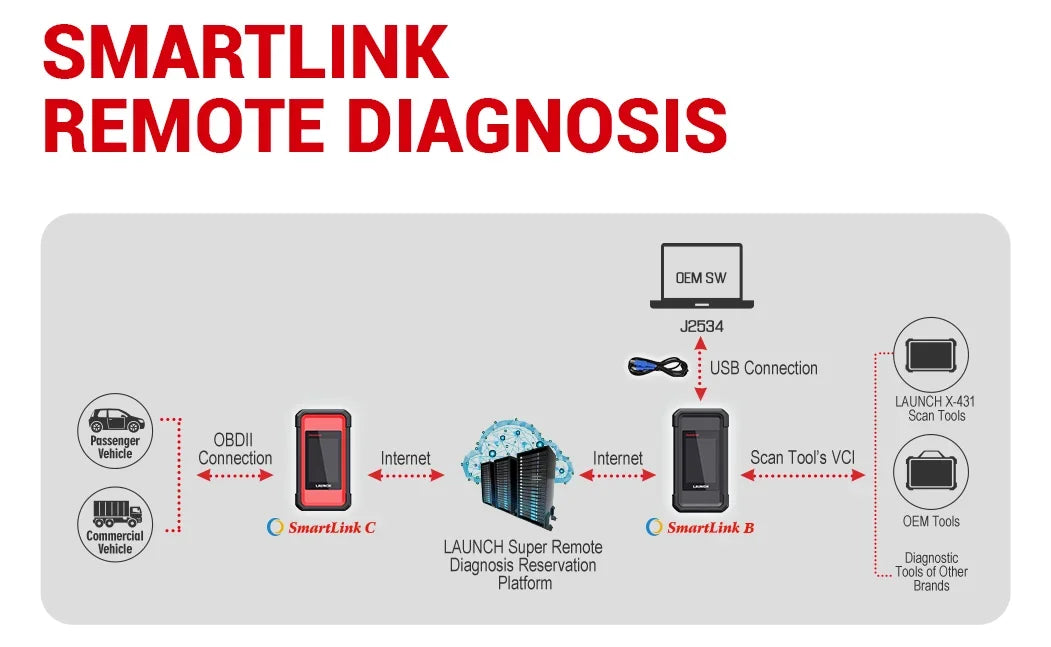
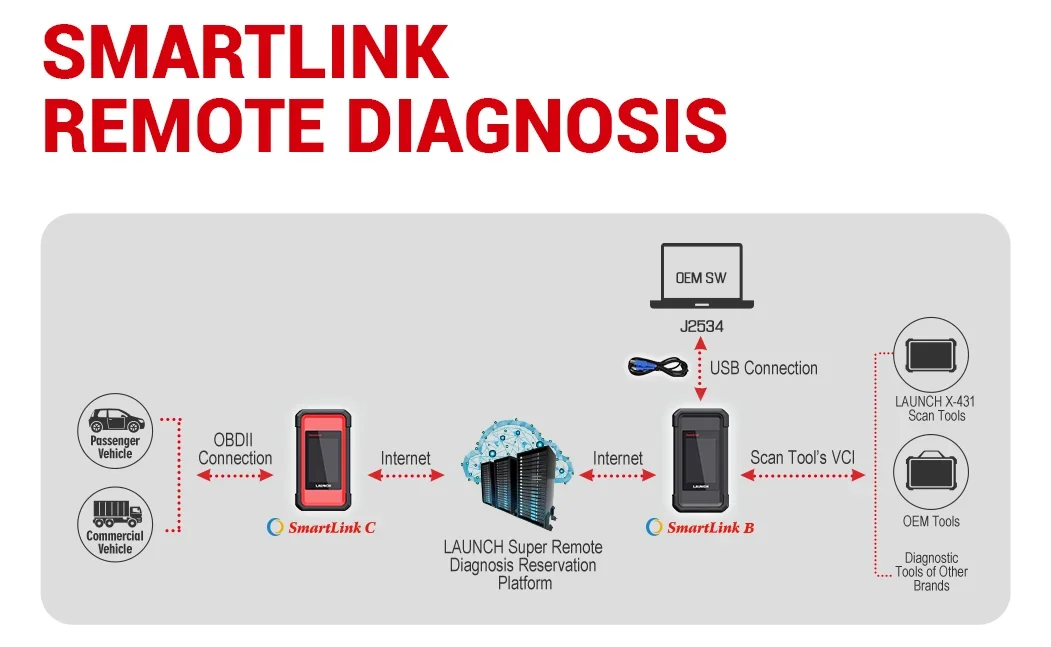
How Does the LAUNCH SMARTLINK REMOTE DIAGNOSIS WORK?
This picture may help you better understand the complete procedure of the Smartlink remote diagnosis.
How to Activate SmartLink B Remote Diagnosis?
Main steps:
Register->Log in->Accept remote diagnostic request
*In order to ensure the connection performance, we recommend 100M network bandwidth with upload/download speed no less than 10mbps
1) Register on “Launch Super Remote Diagnosis reservation platform” by link” http://smartlink.x431.com/login “.
Input your email address and click “Get verification code”, platform will send the verification code to your email box. “Product Serial Number” and “Activation code” are pasted as “S/N” and“A/C” on the rear side of Smartlink device.
2) If you registered successfully, you can log in to the platform:
If you have more Smartlink devices, you can click “Add a device” on this page, and then input product serial number and activation code:
3) Now, you will find many requests on the platform. You can check the request details and
accept one that you can fix. Such as:
Remote Diagnosis Mode:
SmartlinkB_xxxxxx: it means you will use Smartlink B to take remote the client vehicle.
J2534 Remote diagnosis: it means you have installed OEM software and Launch Tech J2534 driver on your PC. You will take remote by J2534 protocol.
4): After you accept a request, you will get client contact information. You have to contact the client and guide them to fix the issue.
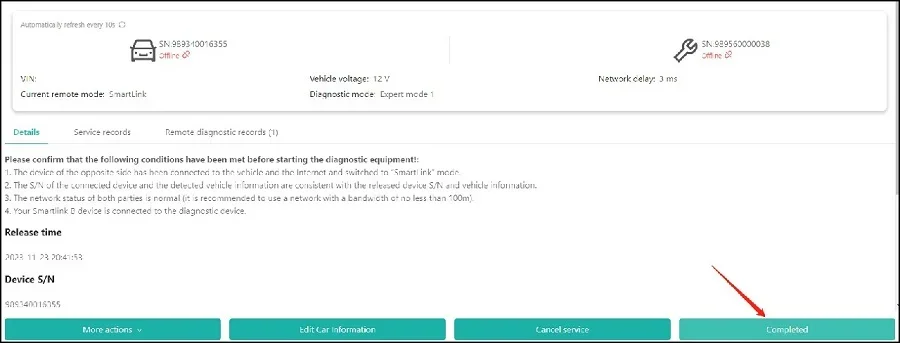
5)If you fix the vehicle issue, please click “Completed”. Or you may click “Give up” if you can’t solve it.
6)You can check diagnostic history by click “History task” on the main page.
How do the Smartlink B users provide remote diagnostic services
1. Creating a Remote Connection
Mode 1: Created by Connection Code
The SmartLink B user obtains a connection code from a carside user and creates a remote connection on the SmartLink platform.
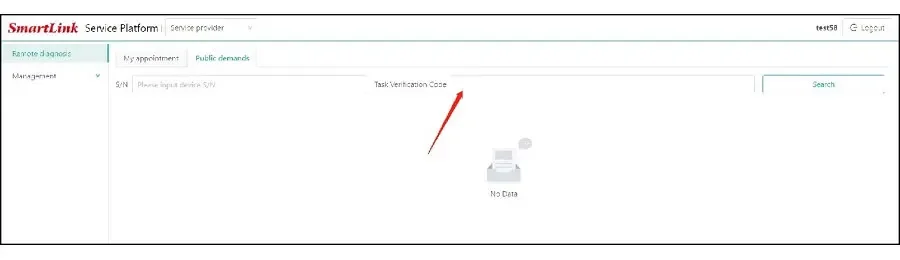
Mode 2: Created by Appointment or Open Demand
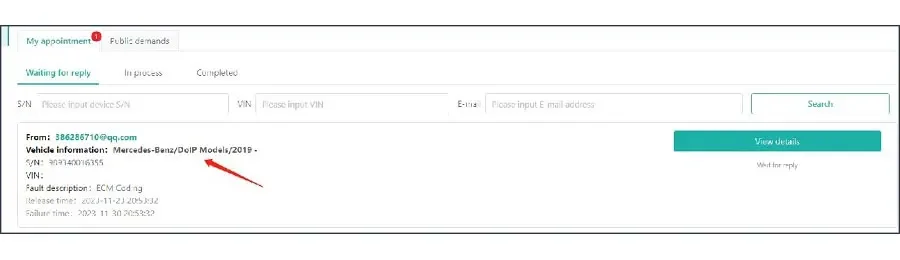
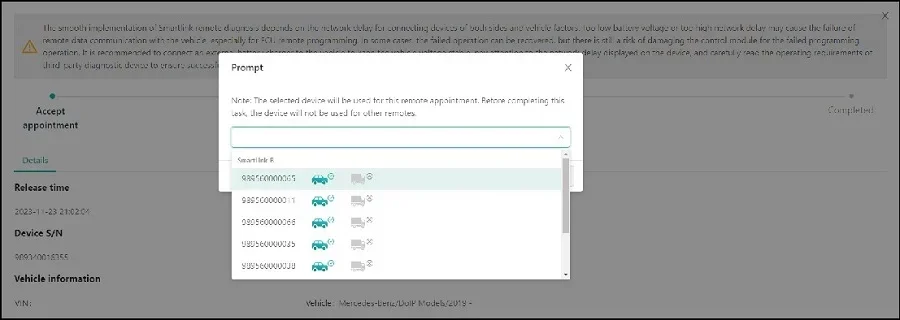
2. the Smartlink B power on, connects to the network and diagnosis devices
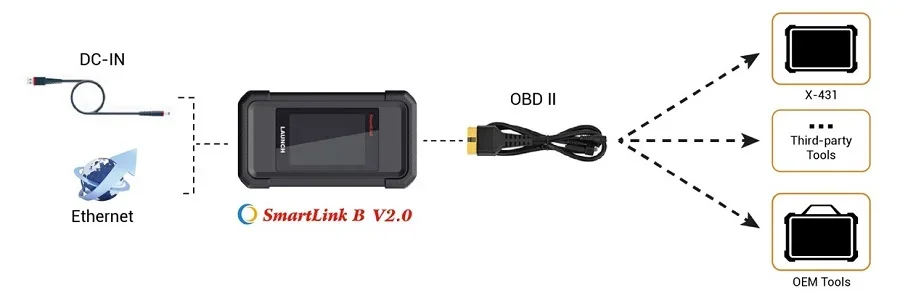
3. Once the connection is ready, you can operate the diagnostic device to start remote diagnosis.the online status of the devices, vehicle voltage, network delay can be shown on the Smartlink platform.
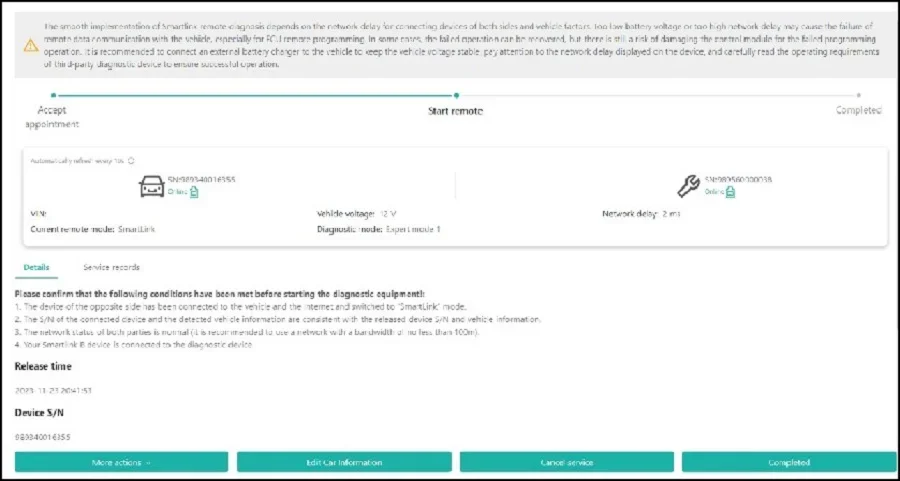
4. End remote diagnostic connect
After the remote diagnosis is completed, enter the test results to end the task.
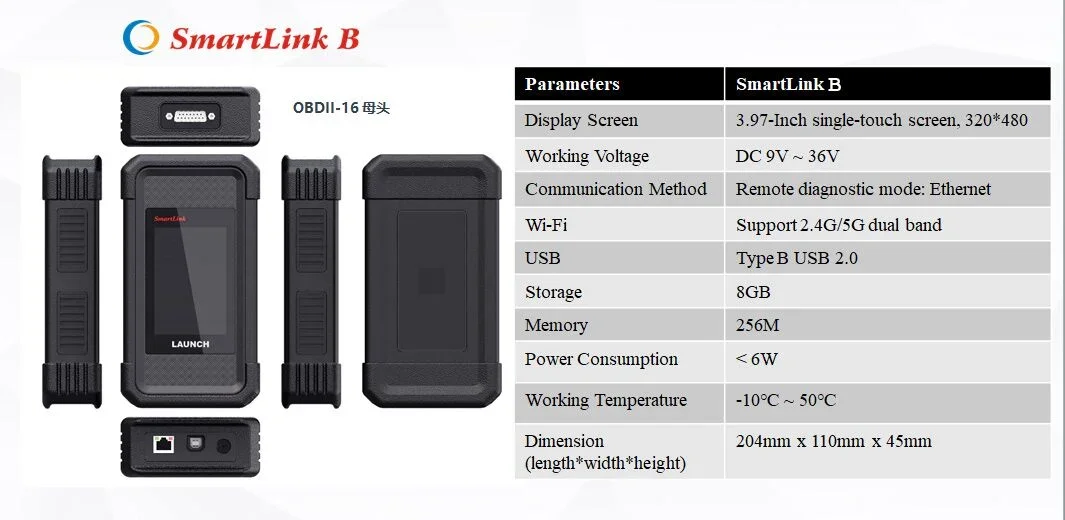
SmartLink B Specification
Display Screen:3.97-Inch single-touch screen, 320*480
Working Voltage:DC 9V ~ 36V
Communication Method:Remote diagnostic mode: Ethernet
Wi-Fi:Support 2.4G/5G dual band
USB:Type B USB 2.0
Storage:8GB
Memory:256M
Power Consumption:< 6W
Working Temperature: -10℃ ~ 50℃
Dimension (length*width*height) :204mm x 110mm x 45mm
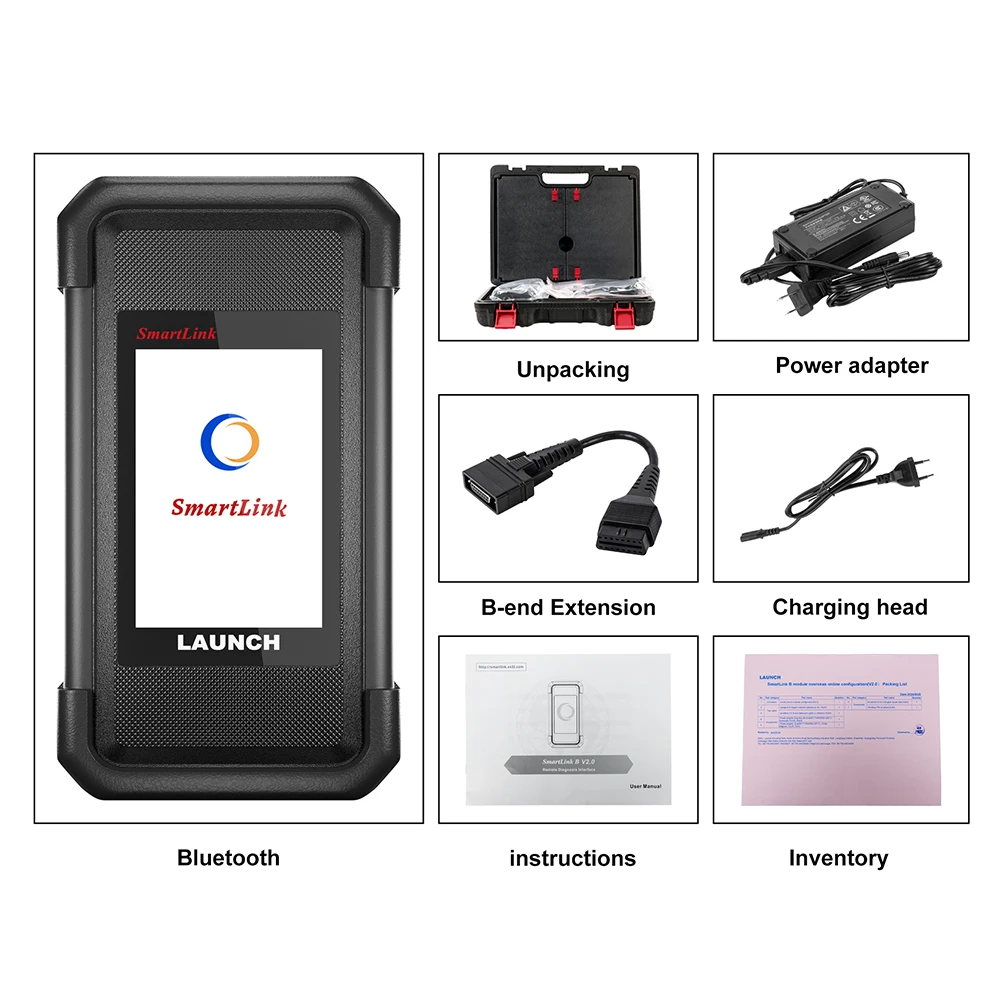
Packing List